Upgrading my desktop PC
Vincent Bernat
I built my current desktop PC in 2014. A second SSD was added in 2015. The motherboard and the power supply were replaced after a fault1 in 2016. The memory was upgraded in 2018. A discrete AMD GPU was installed in 2019 to drive two 4K screens. An NVMe disk was added earlier this year to further increase storage performance. This is a testament to the durability of a desktop PC compared to a laptop: it’s evolutive and you can keep it a long time.
While fine for most usage, the CPU started to become a bottleneck during video conferences.2 So, it was set for an upgrade. The table below summarizes the change. This update cost me about €800.
| Before | After | |
|---|---|---|
| CPU | Intel i5-4670K @ 3.4 GHz | AMD Ryzen 5 5600X @ 3.7 GHz |
| CPU fan | Zalman CNPS9900 | Noctua NH-U12S |
| Motherboard | Asus Z97-PRO Gamer | Asus TUF Gaming B550-PLUS |
| RAM | 2×8 GiB + 2×4 GiB DDR3 @ 1.6 GHz | 2×16 GiB DDR4 @ 3.6 GHz |
| GPU | Asus Radeon PH RX 550 4G M7 | ← |
| Disks | 500 GB Crucial P2 NVMe, 256 GB Samsung SSD 850, 256 GB Samsung SSD 840 |
← |
| PSU | be quiet! Pure Power CM L8 @ 530 W | ← |
| Case | Antec P100 | ← |
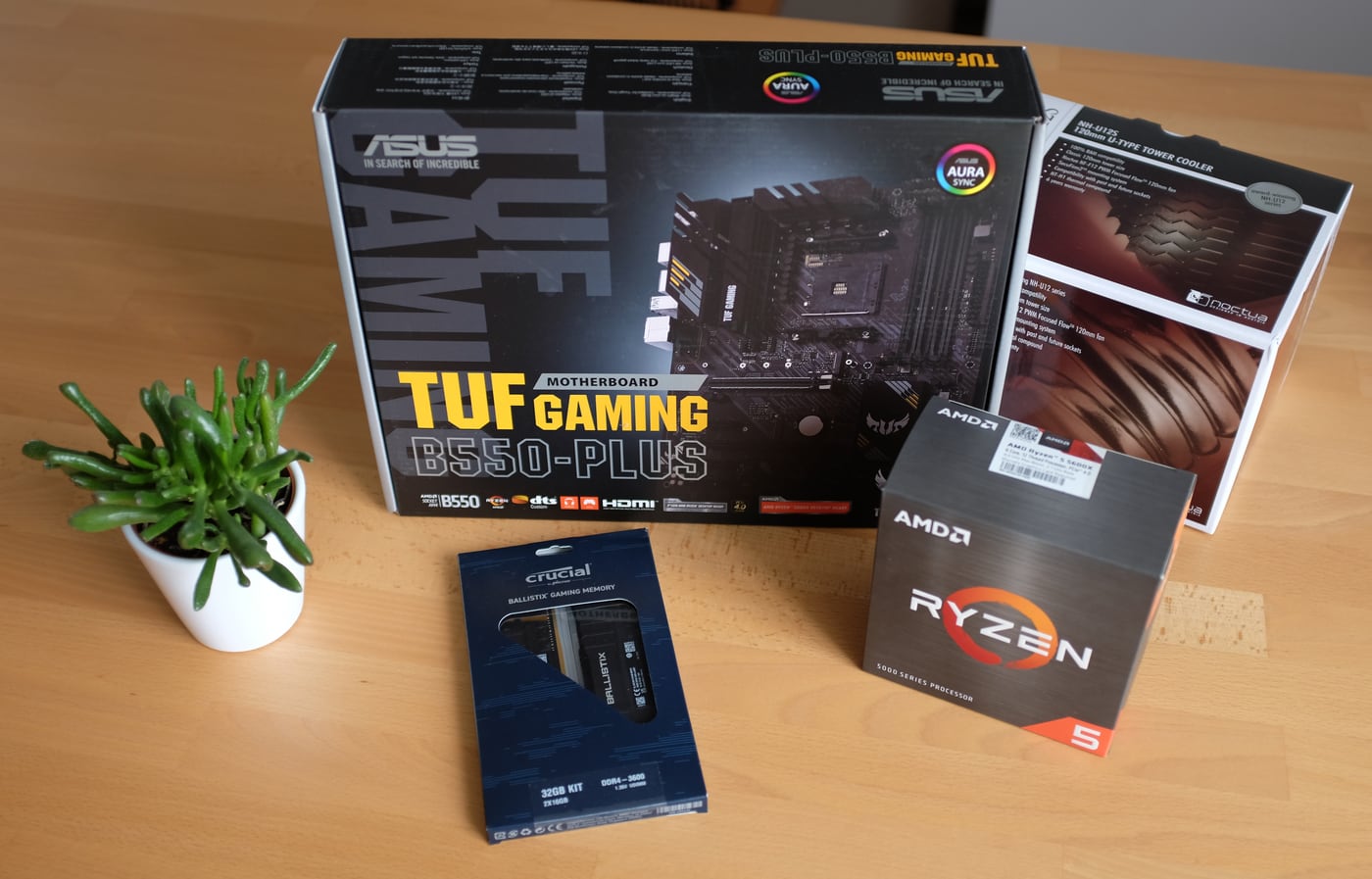
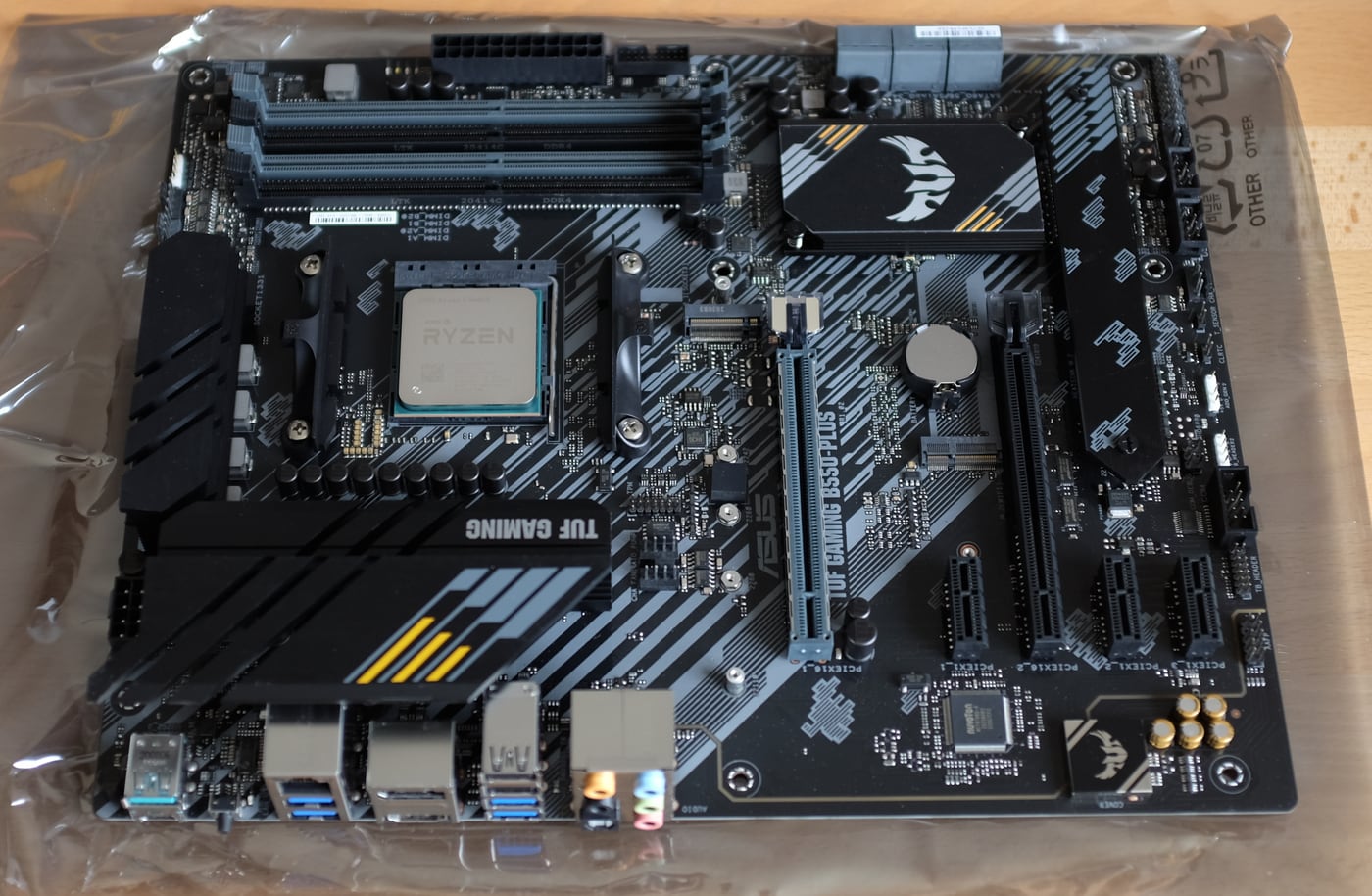

According to some benchmark, the new CPU should be 4× faster when all cores are used and 1.5× faster for a single-threaded workload. Compiling an arbitrary3 kernel provides a 3× speedup. Before:
$ lscpu -e
CPU NODE SOCKET CORE L1d:L1i:L2:L3 ONLINE    MAXMHZ   MINMHZ
  0    0      0    0 0:0:0:0          yes 3800.0000 800.0000
  1    0      0    1 1:1:1:0          yes 3800.0000 800.0000
  2    0      0    2 2:2:2:0          yes 3800.0000 800.0000
  3    0      0    3 3:3:3:0          yes 3800.0000 800.0000
$ CCACHE_DISABLE=1 =time -f '⌛ %E' make -j$(nproc)
[…]
  OBJCOPY arch/x86/boot/vmlinux.bin
  AS      arch/x86/boot/header.o
  LD      arch/x86/boot/setup.elf
  OBJCOPY arch/x86/boot/setup.bin
  BUILD   arch/x86/boot/bzImage
Kernel: arch/x86/boot/bzImage is ready  (#1)
⌛ 4:54.32
After:
$ lscpu -e
CPU NODE SOCKET CORE L1d:L1i:L2:L3 ONLINE    MAXMHZ    MINMHZ
  0    0      0    0 0:0:0:0          yes 5210.3511 2200.0000
  1    0      0    1 1:1:1:0          yes 4650.2920 2200.0000
  2    0      0    2 2:2:2:0          yes 5210.3511 2200.0000
  3    0      0    3 3:3:3:0          yes 5073.0459 2200.0000
  4    0      0    4 4:4:4:0          yes 4932.1279 2200.0000
  5    0      0    5 5:5:5:0          yes 4791.2100 2200.0000
  6    0      0    0 0:0:0:0          yes 5210.3511 2200.0000
  7    0      0    1 1:1:1:0          yes 4650.2920 2200.0000
  8    0      0    2 2:2:2:0          yes 5210.3511 2200.0000
  9    0      0    3 3:3:3:0          yes 5073.0459 2200.0000
 10    0      0    4 4:4:4:0          yes 4932.1279 2200.0000
 11    0      0    5 5:5:5:0          yes 4791.2100 2200.0000
$ CCACHE_DISABLE=1 =time -f '⌛ %E' make -j$(nproc)
[…]
  OBJCOPY arch/x86/boot/vmlinux.bin
  AS      arch/x86/boot/header.o
  LD      arch/x86/boot/setup.elf
  OBJCOPY arch/x86/boot/setup.bin
  BUILD   arch/x86/boot/bzImage
Kernel: arch/x86/boot/bzImage is ready  (#1)
⌛ 1:40.18
Here we go for another seven years!
Update (2026-05)
I have recently upgraded my screens with a pair of Alienware 27 4K QD-OLED monitors and the GPU with a Gigabyte Radeon RX 9060 XT. I have also upgraded the memory to 64 GiB and replaced my storage disks by a single Samsung SSD 980 PRO 1TB NVMe.